 Millarum Stellar
Millarum Stellar User Manual
A complete guide to gamifying your Jira projects with 3D cosmic visualizations, live leaderboards, and autonomous exploration for digital signage.
1. Overview
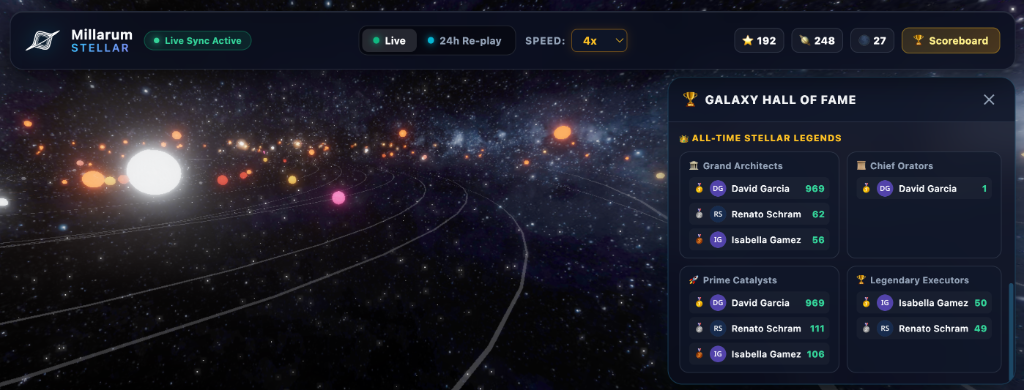
Millarum Stellar gamifies your agile workflow by rendering your Jira workspace as an interactive 3D solar system. It visualizes progress through three main entity types:
- Stars (Epics) — Change temperature/color based on status (3000K for To Do, 4000K for In Progress, 6500K for Done).
- Planets & Moons (Stories, Tasks, Bugs) — Orbit around their parent Epics.
- Comets & Asteroids (Orphan Tickets) — Float freely in the outer galaxy.
The app continuously syncs with Jira and triggers spectacular cosmic animations (like supernovae and orbital captures) as tickets transition. It features an autonomous cinematic camera, making it perfect for office digital signage.
2. Quick Start
-
Launch the Galaxy
Open Millarum Stellar from your Jira project sidebar. The app will immediately fetch your tickets and generate a 3D galaxy based on your current project.
-
Select a Viewing Mode
Use the top control panel to switch between Live Mode (autonomous exploration and live updates) or 24h Re-play Mode (a time-lapse of the last 24 hours of activity). Your mode is saved for future visits.
-
Explore the Universe
In Live Mode, the camera autonomously visits active planets and stars, generating AR-style agent logs. You can also manually click on any celestial body to open the inspector drawer and view ticket details.
-
Check the Scoreboard
Watch the right-side dashboard to track your team's top Catalysts (users who move tickets forward) and Executors (users who resolve tickets).
3. Data Requirements
To accurately render your project's galaxy and scoreboard, Millarum Stellar requires the following:
- Hierarchical Links: Stories, tasks, and bugs must be properly linked to Epics to render as planets orbiting a star. Unlinked tickets will appear as orphan asteroids.
- Status Categories: The app relies on Jira's standard status categories (To Do, In Progress, Done) to determine star temperatures and planet behaviors.
- Changelog History: To correctly attribute points to Catalysts and Executors, the app reads the issue's changelog to identify the exact user who performed the transition or resolution.